
Your website should generate leads, sales, and trust — not stress.
If you’re planning a new build, redesign, performance fix, or e-commerce launch, hiring the right WordPress developer with strong PHP expertise can make the difference between a site that looks good and one that actually performs.
In this guide, I’ll show you how I help small businesses and marketing teams build fast, secure, scalable WordPress websites — and how you can get reliable help in 2026 and beyond.
The Most Common Website Problems Business Owners Face
If you’re reading this, chances are your website is experiencing one (or more) of these issues:
1. Slow Load Times That Kill Conversions
A 3–5 second load time can significantly reduce conversions. I’ve worked with businesses whose sites were losing traffic simply because they were bloated with unnecessary plugins and poorly structured PHP code.
2. Outdated Design That Hurts Credibility
An old theme or non-mobile-friendly layout makes customers question your professionalism.
3. Security Risks and Plugin Conflicts
Many WordPress sites are vulnerable due to outdated plugins, weak configurations, or improper server setup.
4. DIY Setup That Doesn’t Scale
Many entrepreneurs start with DIY builders. That works at first — but when traffic grows, the site breaks.
5. Complex Migrations or Integrations
Moving from another platform? Need payment gateways, CRM, or booking systems integrated? Without clean PHP architecture, things can break fast.
If any of these sound familiar, you likely need to hire a WordPress developer in 2026 who understands both WordPress and PHP at a deeper level.
How I Solve These Problems (Process + Tools)
Here’s how I approach every project:

Website Audit & Strategy
Before touching your site, I review:
- Hosting environment
- Theme structure
- Plugin ecosystem
- PHP performance
- SEO technical setup
- Security vulnerabilities
You get a clear action plan — no jargon, just practical next steps.

Clean Development & Optimization
Depending on your needs, I may:
- Rebuild using lightweight themes
- Optimize PHP queries and database calls
- Implement WordPress performance optimization PHP techniques
- Remove unnecessary plugins
- Set up caching and CDN
- Secure file permissions and harden login
Results from recent projects:
- Reduced load time by 60%
- Improved Core Web Vitals to pass Google standards
- Increased form conversion rate by 25%
- Migrated high-traffic sites with zero downtime

Testing & Launch
Before launch:
- Mobile testing
- Speed testing
- Security checks
- Backup configuration
- SEO validation
You get a stable, scalable site — not a rushed deployment.
Shopify to WordPress Migration
A small e-commerce brand needed to migrate from Shopify to WordPress safely while improving speed and SEO.
The Challenge:
- Preserve SEO rankings
- Maintain checkout functionality
- Improve page load speed
- Integrate Stripe + CRM
What I Did:
- Structured database migration
- Implemented custom PHP logic for product filters
- Set up secure WooCommerce environment
- Optimized performance and images
Result:
- 45% faster load times
- Improved organic visibility
- 18% increase in checkout completion rate
- Zero downtime during migration
If you need to migrate site to WordPress safely, planning and technical execution matter.
I work with businesses in three main ways
Flat-Fee Projects
Best for:
- New builds
- Redesigns
- Migrations
- E-commerce launches
You get:
- Defined scope
- Fixed pricing
- Clear milestones
Hourly Support
Best for:
- Bug fixes
- Performance tweaks
- Minor updates
- Integrations
- Transparent billing. No hidden surprises.
Monthly Retainers
Best for:
- Ongoing maintenance
- Security monitoring
- Performance optimization
- Continuous improvements
This option works well for marketing managers who need a reliable technical partner.
If you’re searching for “hire WordPress developer 2026,” choose someone who offers structured engagement options — not vague proposals.
Quick Wins You Can Implement Today
Even before hiring help, here are immediate improvements:
- Remove unused plugins (they slow your site).
- Update WordPress core and PHP version.
- Compress large images.
- Enable caching on your hosting.
- Use strong admin passwords and two-factor authentication.
These won’t replace professional optimization — but they can improve stability immediately.
Frequently Asked Questions
How much does it cost to hire a WordPress developer?
Pricing depends on scope. Small fixes may start hourly, while full builds or migrations are typically flat-fee projects. Clear scope equals predictable pricing.
How long does a typical project take?
Small optimizations can take a few days. Full builds or migrations usually take 3–6 weeks depending on complexity.
Is my website secure during updates or migration?
Yes. I implement backups, staging environments, and secure deployment processes to ensure safe transitions.
Do you provide ongoing support?
Absolutely. Many clients choose monthly retainers for performance, security, and continuous improvement.
Ready to Fix, Build, or Scale Your Website?
If your website needs improvement — or you’re planning something new — now is the right time to get expert help.
With over 13 years of professional experience in WordPress and PHP development, I’ve helped businesses reduce load times, increase conversions, and launch secure scalable platforms.
Contact me today to discuss your project and get a clear, actionable plan.
More from DevNotes
Actionable insights on WordPress, performance, security, and building scalable websites.
WordPress Maintenance Plans Every Small Business Needs in 2026
Your website is not a one-time project. It is a living system that requires updates, monitoring, security, and performance optimization. In 2026, ignoring maintenance is one of the most expensive mistakes small businesses make. Here’s what proper WordPress maintenance...
WordPress vs Webflow in 2026 for Growing Businesses
Choosing the right platform in 2026 is not just about design.
It affects your SEO, scalability, marketing flexibility, performance, and long-term costs.
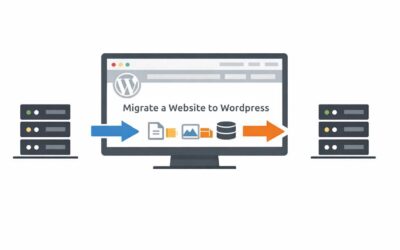
How to Migrate a Website to WordPress Safely in 2026
Migrating a website can feel risky.
You worry about losing traffic, breaking pages, damaging SEO rankings, or disrupting customer experience.