
It is a living system that requires updates, monitoring, security, and performance optimization.
In 2026, ignoring maintenance is one of the most expensive mistakes small businesses make.
Here’s what proper WordPress maintenance actually includes — and why it matters.
Why WordPress Maintenance Is Not Optional
WordPress runs on:
- Core software
- Themes
- Plugins
- PHP
- Hosting infrastructure
Each of these components updates regularly.
Without structured maintenance:
- Plugins conflict
- Security vulnerabilities appear
- Site speed declines
- Backups fail
- SEO performance drops
Many hacked WordPress websites were simply not maintained.
What a Professional Maintenance Plan Should Include
A serious WordPress security and maintenance service should cover:
1. Core and Plugin Updates
Updates should never be done blindly.
Professional workflow includes:
- Testing updates in staging
- Checking compatibility
- Verifying functionality
- Monitoring after deployment
2. Security Monitoring
Includes:
- Malware scanning
- Firewall configuration
- Login protection
- File integrity monitoring
- Regular backups
Security is proactive, not reactive.
3. Performance Monitoring
Over time, sites slow down due to:
- Database growth
- Plugin accumulation
- Media bloat
- Autoloaded options overload
Monthly performance audits prevent decline.
4. Backup Systems
A proper backup system includes:
- Daily automated backups
- Off-site storage
- Restore testing
- Emergency recovery plan
A backup that has never been tested is not a real backup.
5. Technical Support
You should have access to:
- Bug fixes
- Minor updates
- Content adjustments
- Quick troubleshooting
This prevents small issues from becoming emergencies.
Real-World Example
A small business ignored maintenance for 18 months.
Result:
- Outdated PHP version
- Vulnerable plugins
- Malware infection
- Site downtime
- Lost customer trust
After structured maintenance setup:
- Cleaned malware
- Updated PHP
- Improved load speed by 35 percent
- Strengthened login security
- Reduced spam attacks
Maintenance protects revenue.
5 Quick Maintenance Actions You Can Take Today
- Update to latest PHP version
- Remove unused plugins
- Enable two-factor authentication
- Install automated backups
- Review admin user permissions
These are basic but powerful.
FAQ
How much does WordPress maintenance cost?
Basic plans often start between $75–$250 per month depending on scope.
Can I maintain my site myself?
Yes, but without technical knowledge, mistakes can cause downtime.
What happens if I skip updates?
Security risks increase and performance declines.
Is maintenance really necessary for small websites?
Yes. Even small sites are common hacking targets.
Final Thoughts
A website without maintenance is like a car without servicing.
It may run for a while — but failure is inevitable.
With over 13 years of WordPress and PHP experience, I provide structured maintenance plans that keep websites secure, fast, and stable.
👉 If you want reliable WordPress maintenance and security support, contact me to discuss a plan tailored to your business.
Ready to Fix, Build, or Scale Your Website?
If your website needs improvement — or you’re planning something new — now is the right time to get expert help.
With over 13 years of professional experience in WordPress and PHP development, I help businesses turn slow websites into fast, conversion-ready platforms.
If you need help improving your website speed, contact me for a performance audit.
More from DevNotes
Actionable insights on WordPress, performance, security, and building scalable websites.
WordPress vs Webflow in 2026 for Growing Businesses
Choosing the right platform in 2026 is not just about design.
It affects your SEO, scalability, marketing flexibility, performance, and long-term costs.
How to Migrate a Website to WordPress Safely in 2026
Migrating a website can feel risky.
You worry about losing traffic, breaking pages, damaging SEO rankings, or disrupting customer experience.
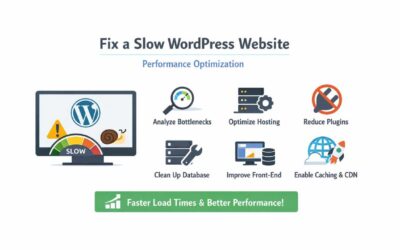
Fix a Slow WordPress Website in 2026 Using Proper PHP Performance Optimization
If your WordPress website takes more than 3 seconds to load, you are losing visitors — and likely losing revenue.
In 2026, speed is not optional. Google measures it. Users expect it. And competitors optimize for it.